Packages
View, create, and manage travel packages including pricing and web bookings.
Packages are the core entity in Travel Agent. This page explains how to create and manage packages, including pricing, payment plans, package actions, and website booking settings.
Navigate to the Packages Page
Open Packages from the sidebar. The list shows all packages in the system. Use search and filters to find specific records, and use the command bar to create, clone, or manage packages.
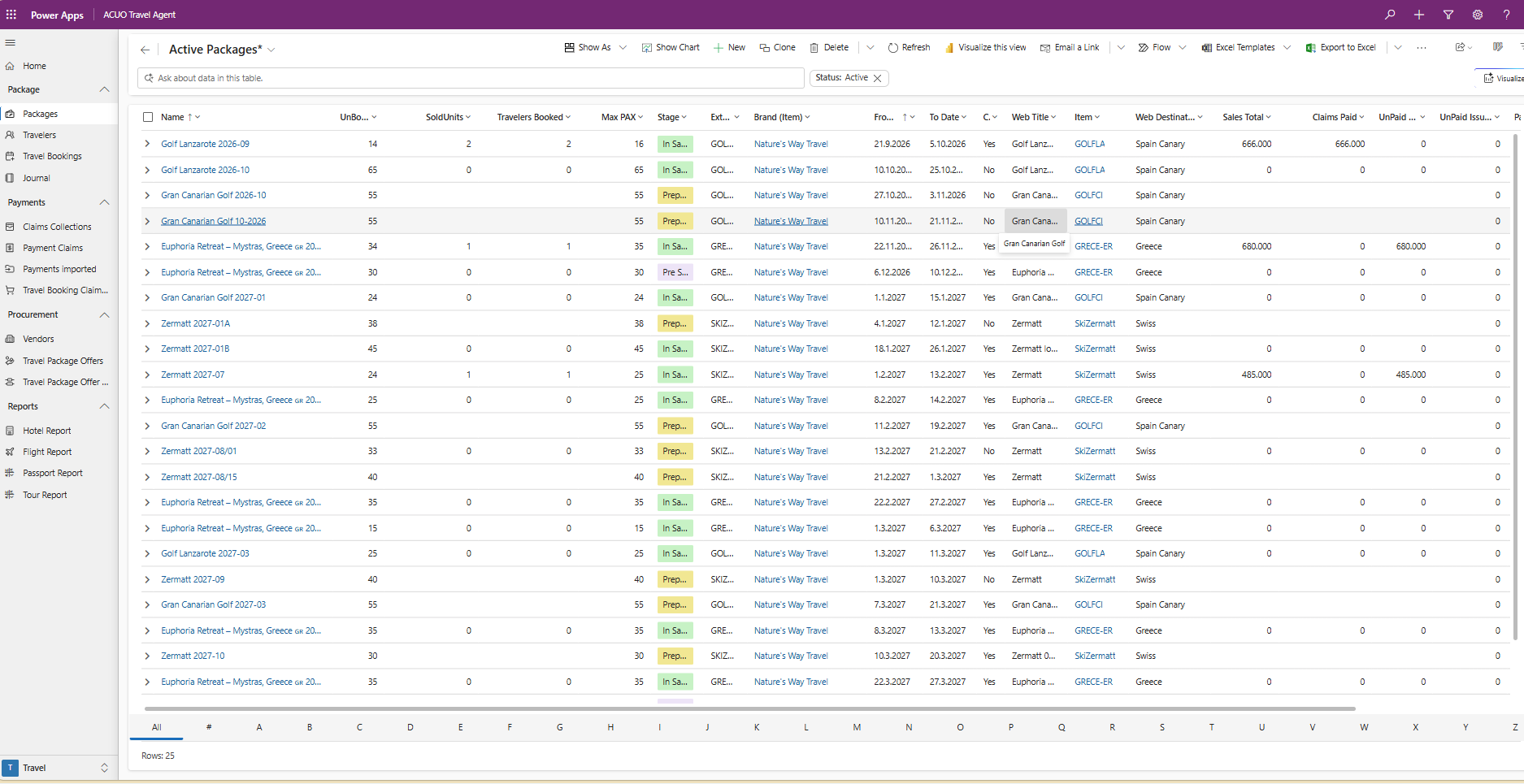
Create a New Package
Click New in the command bar to create a package.
To create a package from an existing setup, select one or more packages and click Clone.

Package definition
A package is the sellable instance of an item. It brings together dates, pricing, booking rules, and operational setup for one travel offering.
The following fields are required when creating a package:
- Name: A descriptive package name.
- Item: The related item that provides package defaults.
Edit a Package
To edit a package, open the package by clicking its Name in the list.
When the form selector appears, choose the form based on what you need to manage:
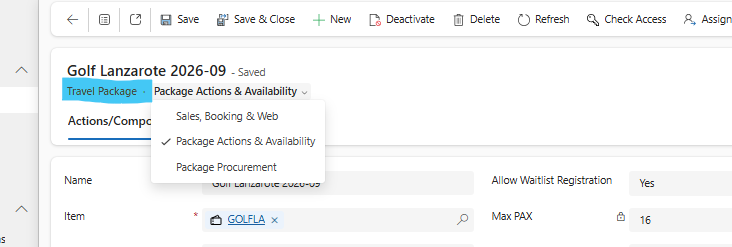
- Sales, Booking, and Web: Use for core package setup, website setup, payment plans, and package prices.
- Package Actions and Availability: Use for operational actions and offer availability.
- Package Procurement: Use for purchase-side tracking, including cost and contribution status.
Sales, Booking, and Web
This is the main form for day-to-day package setup.
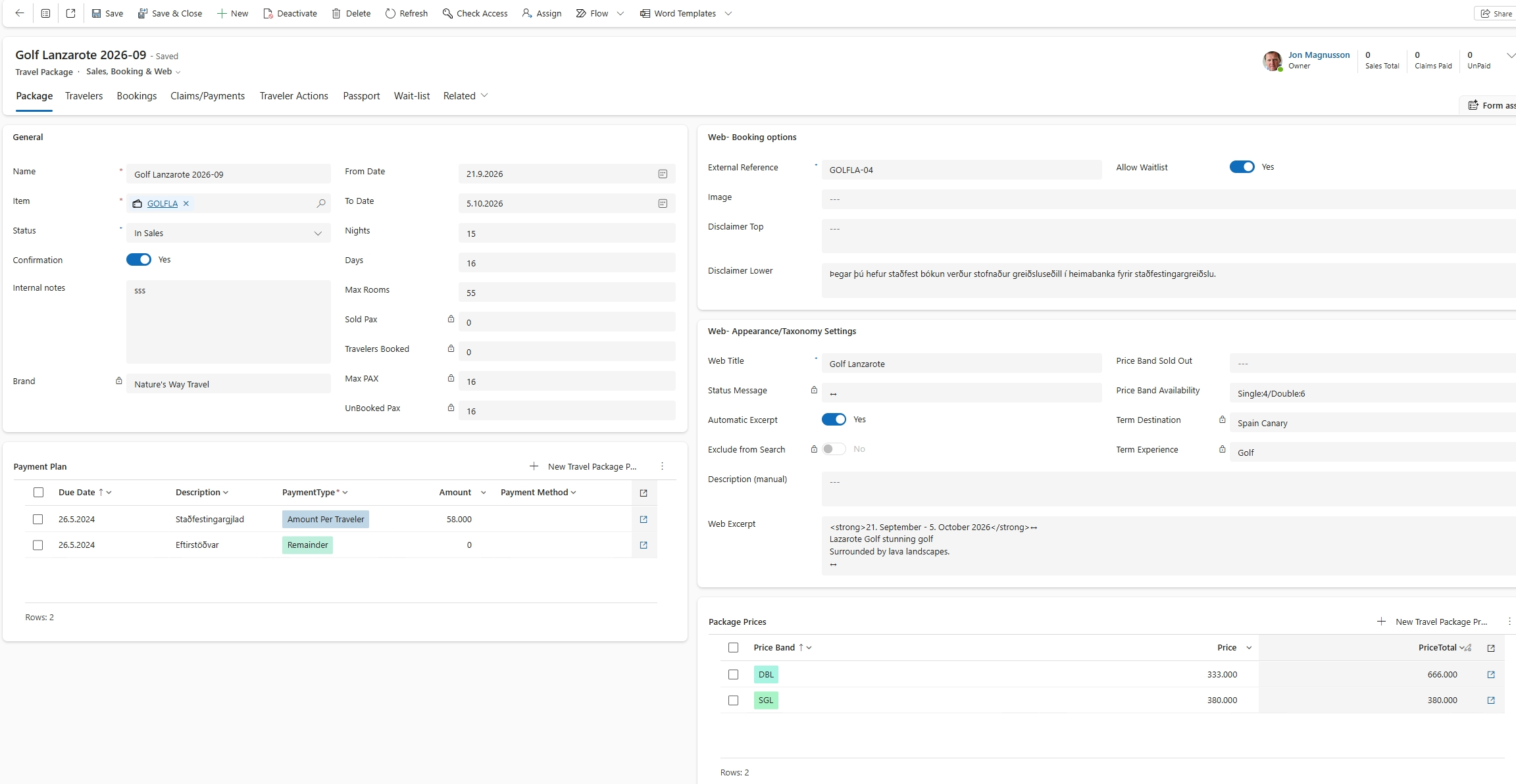
The related tabs provide quick access to package activity:
- Travelers: All travelers assigned to the package.
- Bookings: Bookings sold for the package.
- Payments/Claims: Payment and claim records connected to the package.
- Traveler Actions: Actions registered for travelers in the package.
- Passport: Traveler names and passport-related details.
- Wait-list: Current wait-list entries for the package.
Main groups in the Package tab:
- General: Name, item, travel dates, nights, days, max rooms, and max PAX.
- Website Booking Options: Image, minimum PAX per booking, wait-list behavior, and disclaimers.
- Website Appearance Settings: Display name, excerpt, and automatic availability updates.
- Package Payment Plan: One or more payment lines (for example deposit and final payment).
- Due Date: Date each line becomes due.
- Type:
- Amount Per Traveler: Fixed amount due at booking.
- Remainder: Remaining balance due (typically final payment).
- Percent: Percentage of total due on the specified date.
- Amount: Value for the selected type.
- Payment Method: Preferred collection method (can be changed later).
- Package Prices: Occupancy-based pricing such as SGL, DBL, and TRP.
- Addons: Optional actions that can be selected during booking. If an addon action is assigned, it links automatically to travelers who select it. Read more: Package Addons.
Package Actions and Availability
Use this form to configure package actions and control availability of offers.
- Package Actions: Actions tied to the package, such as flights, hotels, tours, and food and beverage.
- Action Name: Auto-generated if left empty.
- Information: Action details such as hotel name, flight number, or description.
- Action: Lookup from setup actions for vendor grouping. Types include Flight, Hotel, Tours, Transport, Food & Beverage, and Other.
- Auto Register: Registers existing travelers to new actions when posting a travel journal.
- Display on Web: Visibility option for web bookings: No, Per Traveler, or Per Booking.
Package Procurement
Use this form to manage purchasing of action offers and monitor current cost, sales, and contribution status.
Key fields to monitor
- Status: Current lifecycle stage: Preparation, In Sales, Closed for Sales, or Travel.
- From Date and To Date: Travel period for the package.
- Max PAX and Unbooked PAX: Capacity and remaining availability.
- Max Rooms: Maximum available room capacity.
- Nights and Days: Trip duration.
- Confirmation Email: Sends booking confirmation automatically to the traveler payer when a booking is created.
- Comment: Internal notes for staff.
Common mistakes to avoid
- Saving a package without confirming the correct Item.
- Forgetting to add a Remainder line, which can result in part of the booking value not being collected.
- Enabling Display on Web for actions that should stay internal.
- Forgetting to review Unbooked PAX before moving status to In Sales.