Package Addons
Manage additional services and features for travel packages.
Creating new Package Addon
Note: Travel Package Actions are related to Travel Package Addons, but Actions need to be created first before creating Addons.
Accessing Package Addons Context Menu
To create new package addons, start by accessing the Package Addons context menu from the Travel Packages form.
This is to create a relationship between the travel package and its addons.
When you open a travel package record, you can scroll down to the Package Addons section.
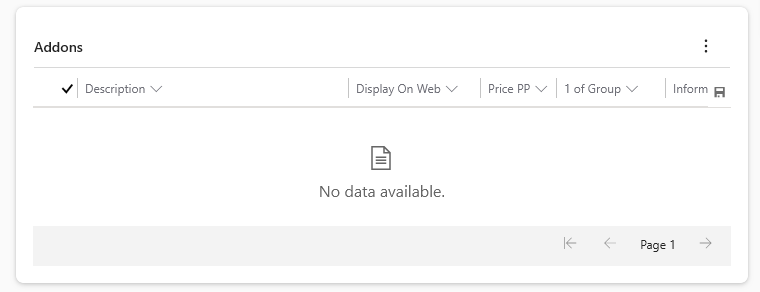
Then click on the triple-dots to open the context menu.
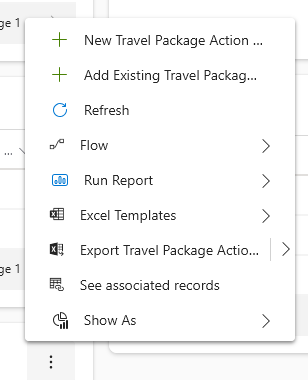 Here you can select "New Travel Package Action ..." (should be "New Travel Package Action Addon") to create a new addon.
Package Addon Main Form
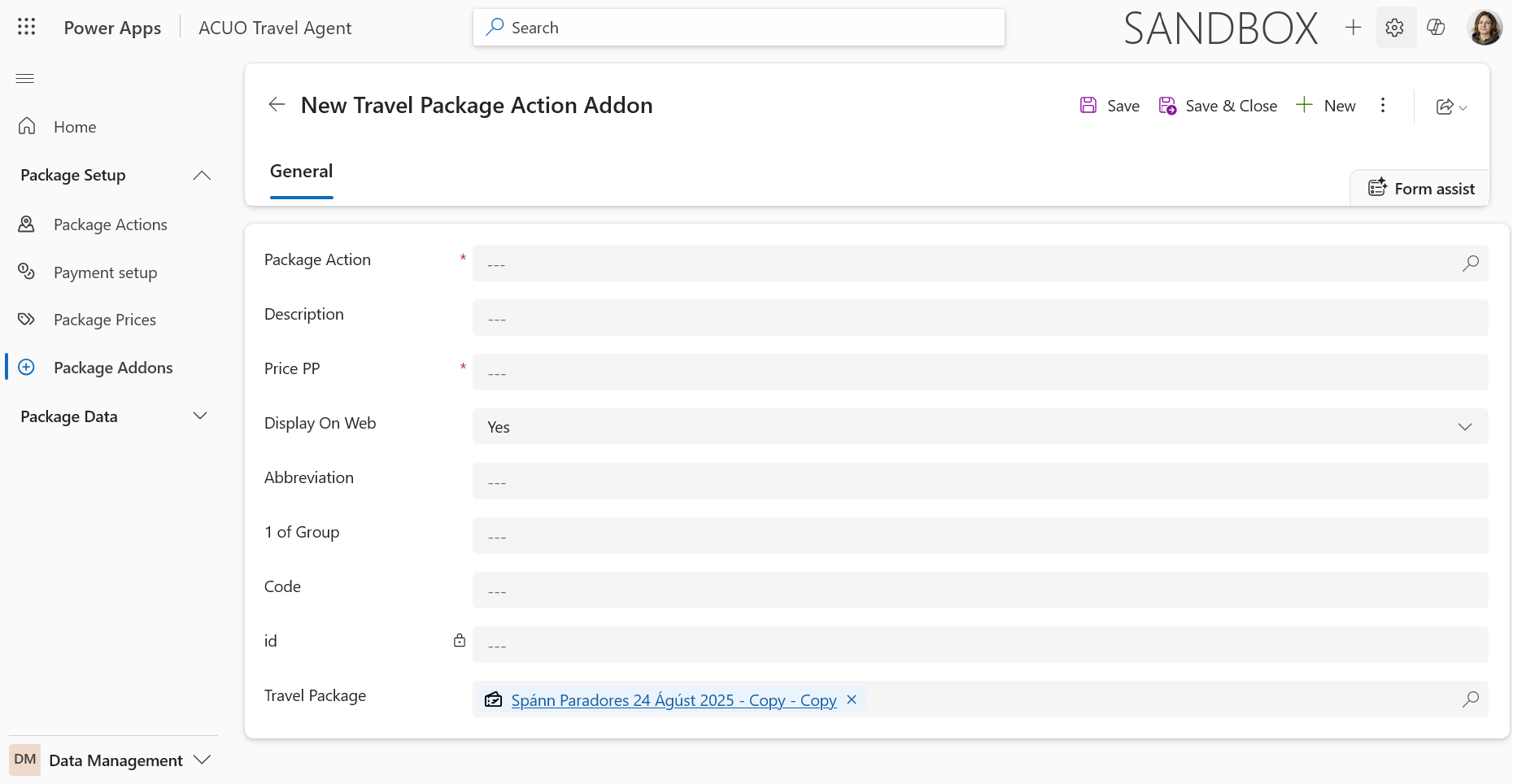 The Travel Package Addon main form allows you to define the details of the addon which includes the following;
- A Lookup field to select the related Travel Package Action.
- Description.
- Price PP (Per Person).
- A yes/no field called "Display on Web".
- An Abbreviation field for short names.
- 1 Of Group field to group related addons.
- Code field which is used for accounting.
- Id field which is generated automatically on save.
- Travel Package field which should be auto-populated based on the parent record.
Some important fields explained:
- Travel Package Action: This lookup field links the addon to a specific action that defines what the addon entails. (Vantar betri lýsingu).
- Description: This field provides a detailed explanation of what the addon includes. This field is also displayed on the booking form to inform customers about the addon.
- Price PP: This field specifies the cost of the addon per person.
- Display on Web: This boolean field determines whether the addon should be visible to customers on the web platform.
- Abbreviation: This field allows you to enter a short name or code for the addon, however if you used any abbreviations from this list "F,J,C,R,A,Z,SAGA" then these will be listed in the Flight Report.
- 1 Of Group: This field allows you to create addons that apply to every member of a booking group, ensuring that all travelers in the group receive the addon. These addons appear in a separate section on the booking form and can be used as required choices for the entire group.