Payment Methods
Payment methods are the different ways you can accept payments from your clients.
Navigating to the Payment Methods Page
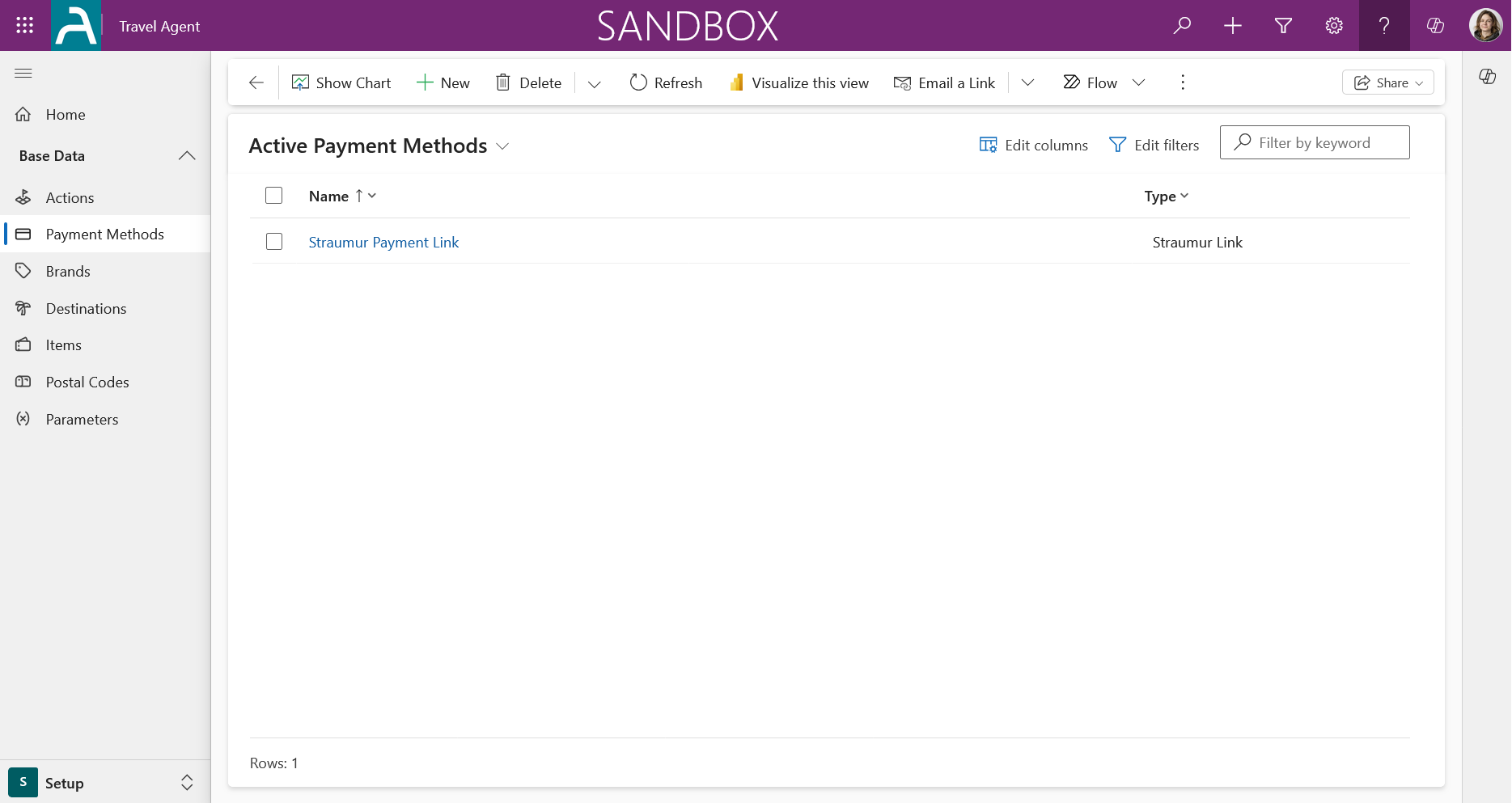
The main Payment Methods page provides an overview of existing payment methods. From here, you can view, manage, and create new payment methods.
Payment Method Types
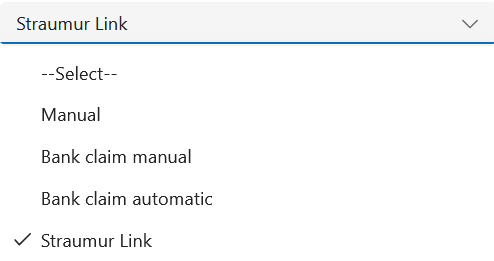
When creating a new payment method, you need to select a type. The available types are:
- Straumur
- Bank Account
- Credit Card
- PayPal
- Other
Defining the Payment Method Details
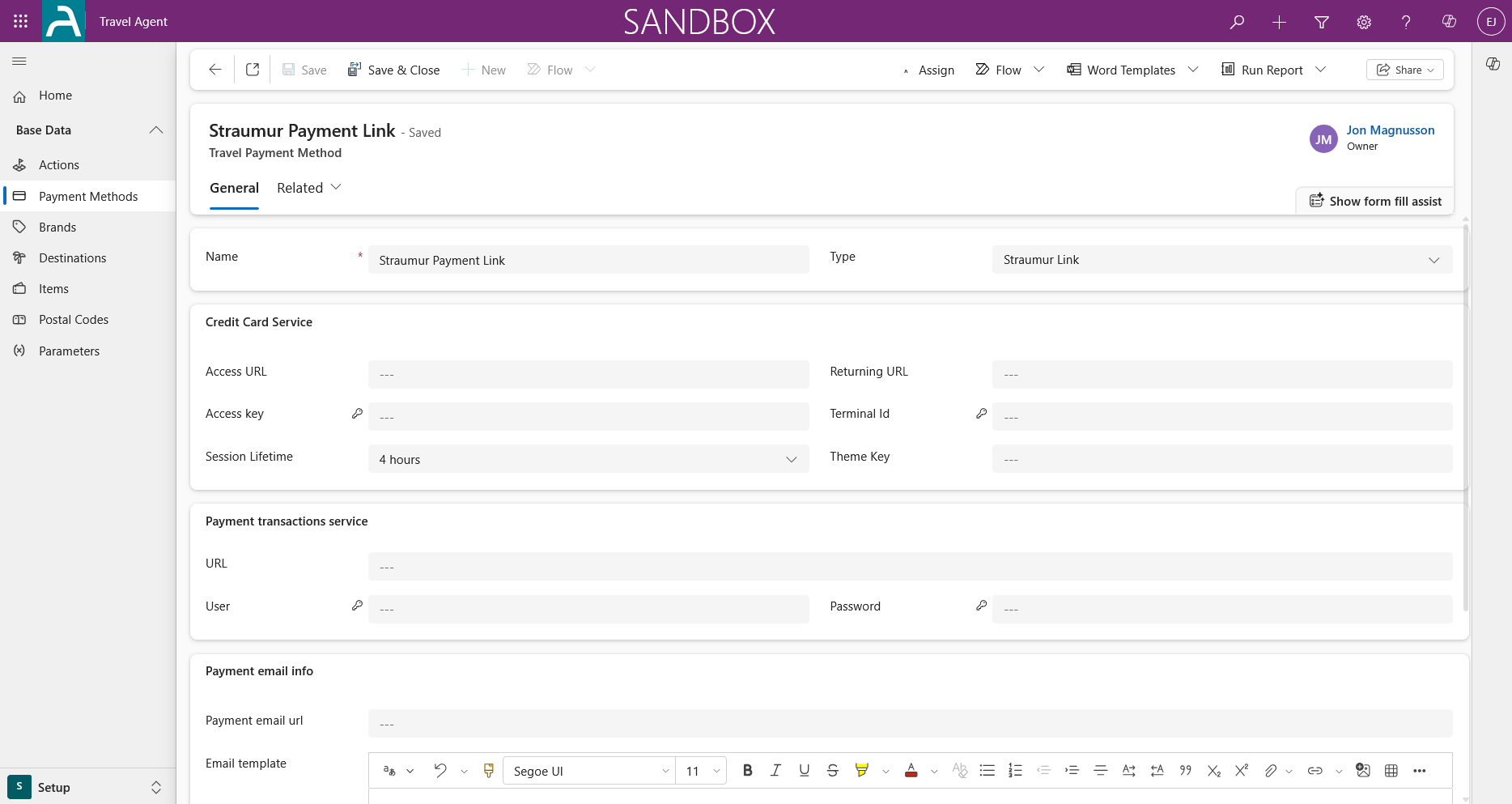
In the New Payment Method window, you need to fill in the details for the payment method. For most payment methods, you will provide a name and select the type.
Under the Credit Card Service section, there are additional fields for configuration for integration services:
- Access URL: The main endpoint for Payment Services.(like Straumur)
- Returning URL: The URL where the customer will be redirected after finishing the payment process.
- Session Lifetime: How long the payment session will remain active. If the session expires, a new one will be created with the same lifetime.
- Theme Key: Used to customize the appearance of the payment page which is configured at payment merchant portal (like Straumur).
You can also configure the Payment Email URL, which is the link that appears in the email body. The Power App will concatenate an ID to this link (usually you would put the Booking Form checkout endpoint).
The Email Template is a rich text field that allows you to customize the email content. You can use the following placeholders, which must be typed exactly as shown, to insert dynamic information:
<PayerName><PackageName><DueDate><Amount><Link><Companysign><Companylogo>
These placeholders will be replaced with the relevant information when the email is sent. The dynamic content for <Companysign> and <Companylogo> is configured in the Brands section.
Related Resources
Need help? If you encounter any issues or have questions, please refer to our FAQ or contact support.
Actions
Actions in Travel Agent are used to classify different actions within event/travel packages. For example, lecture, dinner, flights from a specific airline, hotels from a vendor or chain, etc.
Brands
Brands are the organizations that provide tours and events. Each Item belongs to a Brand, and Packages are connected to Items to show which Brand is offering which Package.