Actions
Actions in Travel Agent are used to classify different actions within event/travel packages. For example, lecture, dinner, flights from a specific airline, hotels from a vendor or chain, etc.
What is an Action?
An Action is a building block used to define the individual activities or services that make up a travel or event package. Each action represents a specific type of service — such as a flight, hotel stay, tour, transport, meal, or any other activity — and can optionally be linked to a vendor who provides that service.
Actions work on three levels:
- Action (Template) — A reusable definition of a service type. For example, "British Airways Flight" or "Hilton Hotel Stay". Each action has a name, a type, and an optional vendor.
- Package Action — When an action is added to a specific package, it becomes a package action. This is where you set the dates, web display options, and any related actions for that package.
- Traveler Action — When a traveler is registered to a package action (either manually or automatically), a traveler action record is created. This tracks the individual traveler's participation, quantity, price, and price band.
Action Types
Every action must be assigned one of the following types:
| Type | Use for |
|---|---|
| Flight | Air travel segments |
| Hotel | Accommodation bookings |
| Tours | Guided tours, excursions, workshops, or sessions |
| Transport | Ground transportation (buses, transfers, car rentals) |
| Food & Beverage | Meals, catering, dining events |
| Other | Lectures, entertainment, equipment, or anything not covered above |
How Actions Connect to Packages
When you build a travel or event package, you add one or more actions to define what the package includes. Each package action can have its own date range, offers with pricing and availability, and can be displayed on the web booking form. Travelers are then registered to specific package actions, either automatically when they book the package or manually by an operator.
Tip: Think of actions as the "line items" of a package. A trip to London might include actions for the outbound flight, the hotel, a city tour, a dinner event, and the return flight — each tracked separately with its own vendor, dates, and pricing.
Navigating to the Actions Page
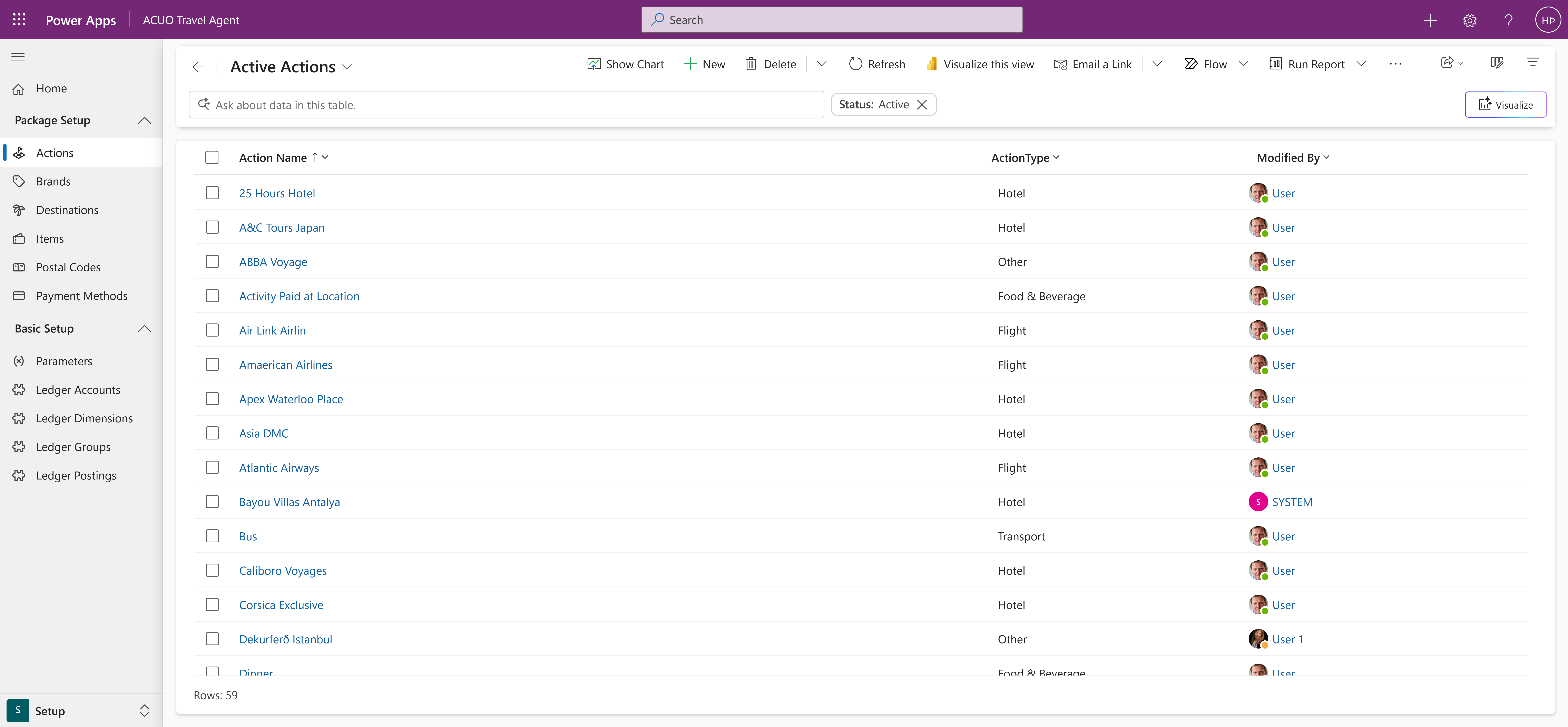
The main Package Actions page provides an overview of all existing actions within the system. From here, you can view, manage, and create new actions.
Action Details Page
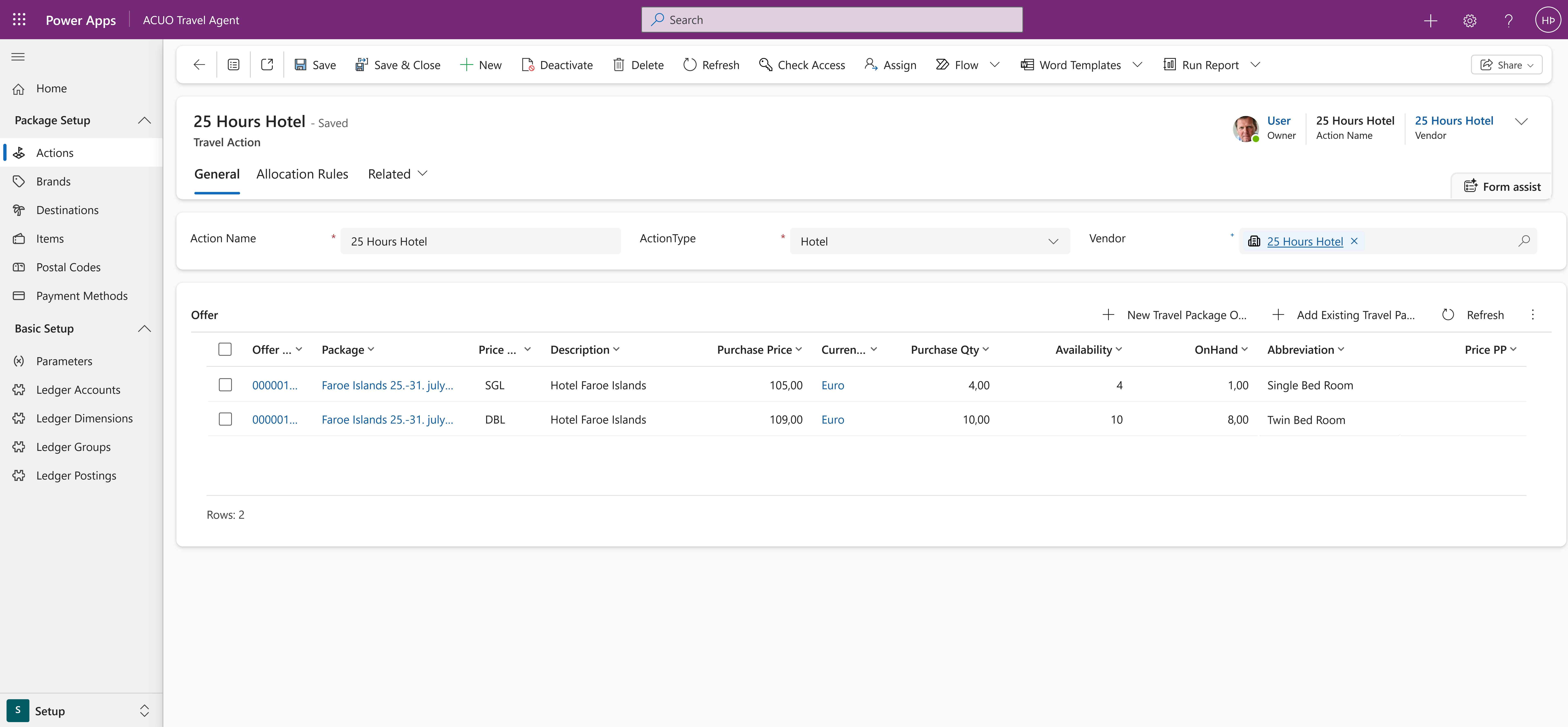
Clicking on an existing action will take you to the Action Details page, where you can view and edit the action's information. This page includes fields for the action's name, type, associated vendor, and related offers.
Creating a New Action
To create a new action, click on the New button in the command bar.
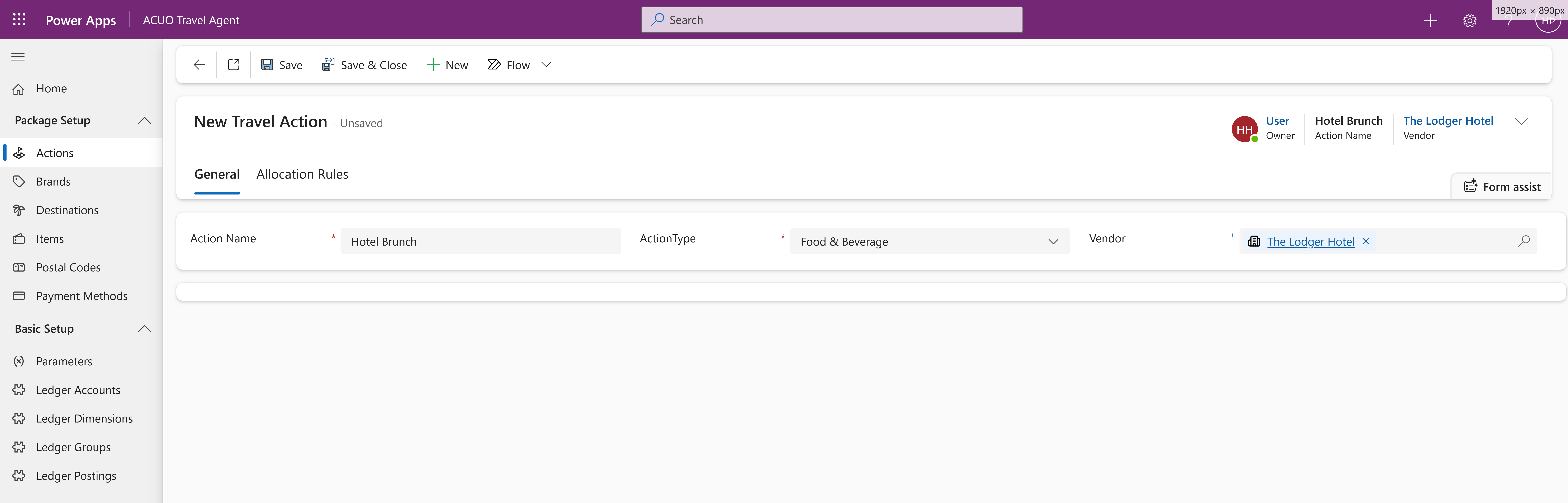
The main fields are Action Name, Action Type, and Vendor. For the Action Name, choose a descriptive name that clearly identifies the action (e.g., 'British Airways Flight' or 'Keynote Speaker'). You must also choose an Action Type from the dropdown menu. The options are as follows:
- Flight
- Hotel
- Tours
- Transport
- Food & Beverage
- Other
Lastly, you can optionally associate the action with a specific Vendor (e.g., British Airways, Hilton, Conference Center, etc.) to further categorize it.
For event organizers: You can use the existing action types to categorize your event activities. For example, use Hotel for venue bookings, Food & Beverage for catering, Tours for guided sessions or workshops, and Other for anything else such as entertainment or lectures.
Related Resources
Need help? If you encounter any issues or have questions, please refer to our FAQ or contact support.